































Dietitian software: client tracking, meal plans and appointments in one panel
PlateSight is dietitian software built for dietitians and nutritionists: it brings your clients' meals, meal plans, appointments and messages together in one panel that opens in your browser. Your clients photograph their meals on their phone, AI estimates the foods and calories, and you see them in the panel the same day, correct them and leave a note. Below you will find client tracking, meal plans, appointments and communication tools in turn, with pricing and frequently asked questions at the end of the page.
Client tracking and meal photos
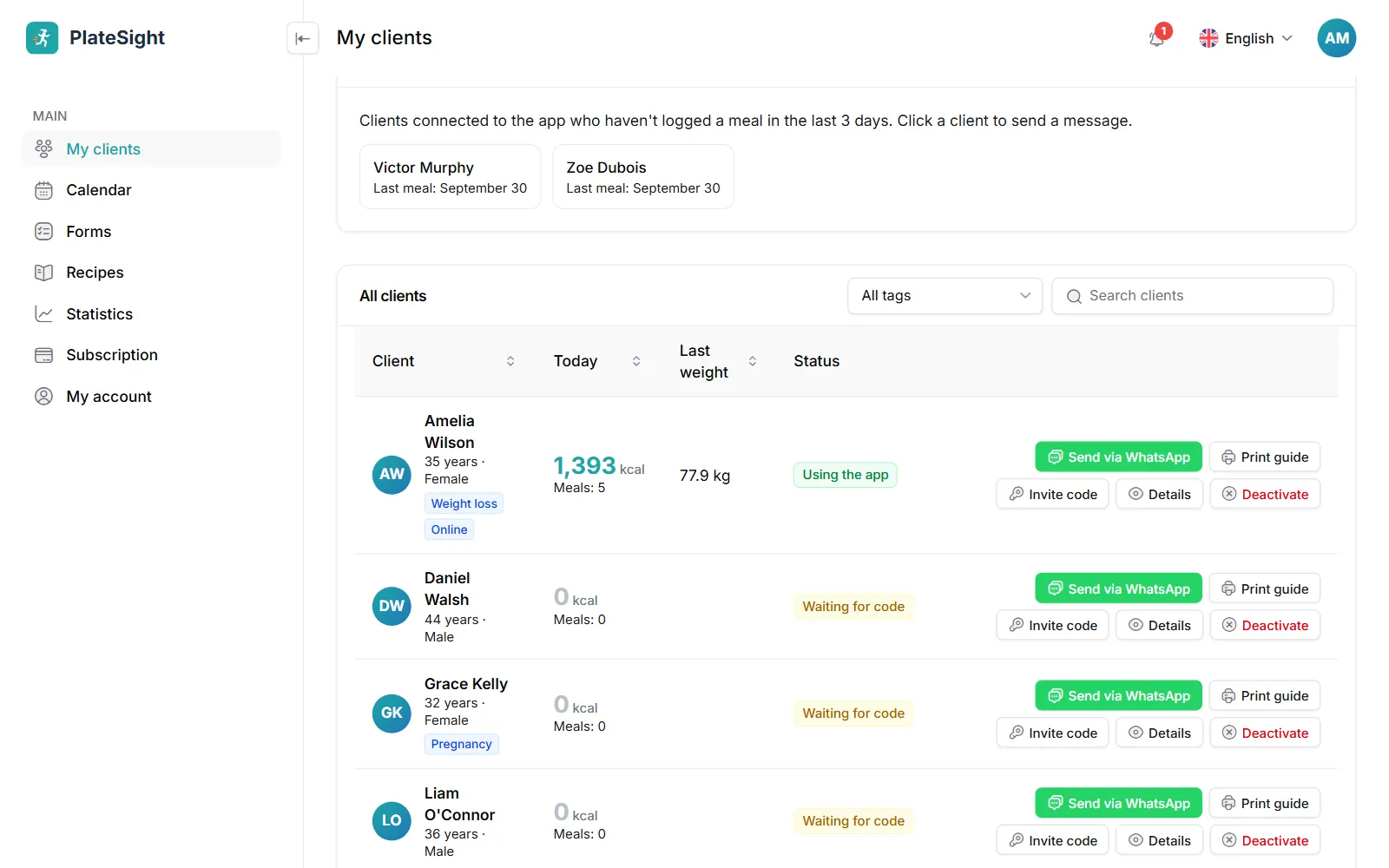
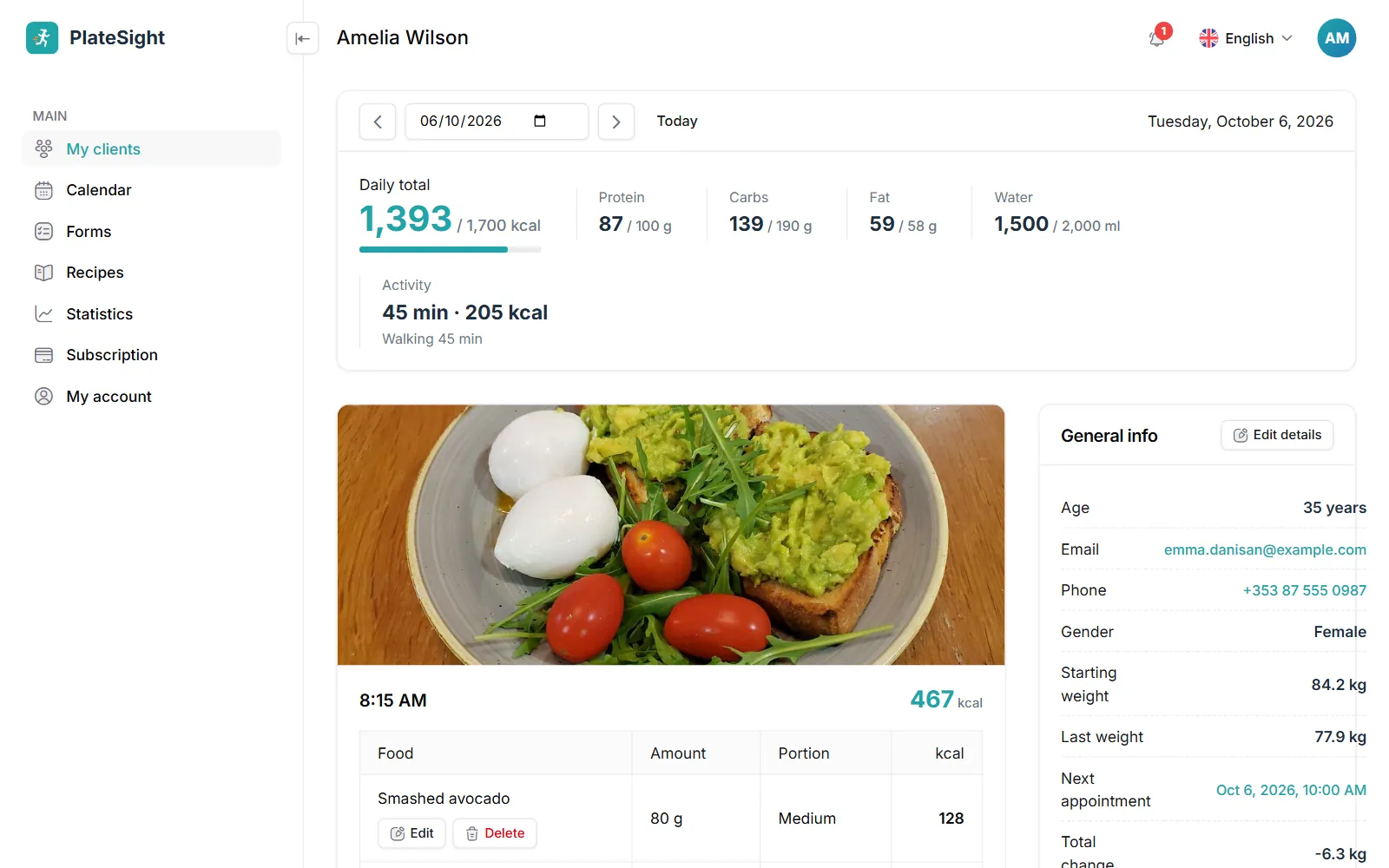
Client tracking is the heart of any dietitian software. In PlateSight your client photographs a meal or types what they ate; AI estimates the foods, portions, calories and macros. In the client file you go through the days one by one, see each meal with its photo, correct a wrong estimate and leave a note on the meal. Your note reaches the client's phone as a notification. The “Needs attention” card on the My clients page brings forward clients who are connected to the app but have not sent a meal for the last three days; you can message them straight from the card. The client file holds more than meals: the weight chart, body measurements, water and activity records sit on the same screen, so before a session you can review the client's last week in a few seconds. When your client cannot take a photo, they can add the meal by typing it, or log a meal they eat often again with one tap; in the panel these meals are marked “Typed in” or “Logged again”, so you know which records are based on a photo.
- Food, portion, calorie and macro estimates from a photo; you have the final say
- Day-by-day meal history, daily totals and progress against the goal
- Weight chart, body measurements, water and activity records
- A daily summary in your inbox every morning
Meal plans and recipes
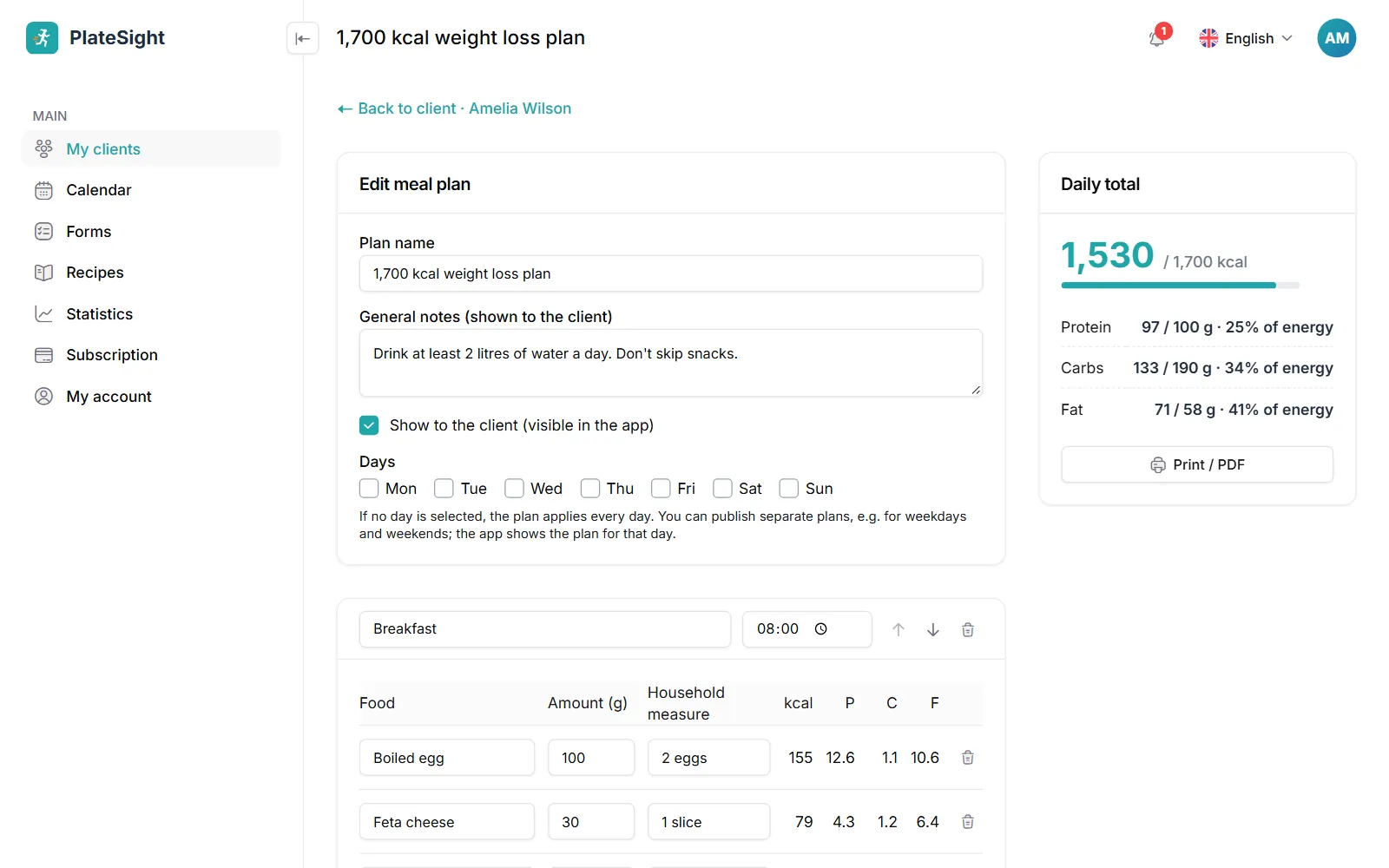
You build a day-by-day meal plan by searching the food list; calorie and macro totals for each meal and for the whole day are calculated automatically. You can add recipes from your recipe library to the plan and work out the client's needs with the energy calculator. The plan you publish lands in the client's app: the client logs a planned meal with one tap on “I ate this” and opens the shopping list on their phone. For details, see our meal planning software page. For each item you enter the grams and a household measure such as “2 slices” or “1 bowl”; your client sees these familiar measures in the app. When the plan is published, a notification goes to the client's phone, and when you update it, the client always sees the latest version. To adapt a plan for another client, copy it and change only the items that differ. Calories and macros per serving for the recipes in your library are calculated from the ingredients; a recipe you add to a plan opens in the client's app with its ingredients and method.
- Plans from the food list; meal and day totals calculated automatically
- Recipe library with calories and macros per serving
- Print the plan or send it to the client's app
- Planned meals appear in the panel marked “From the plan”
Appointments, online sessions and reminders
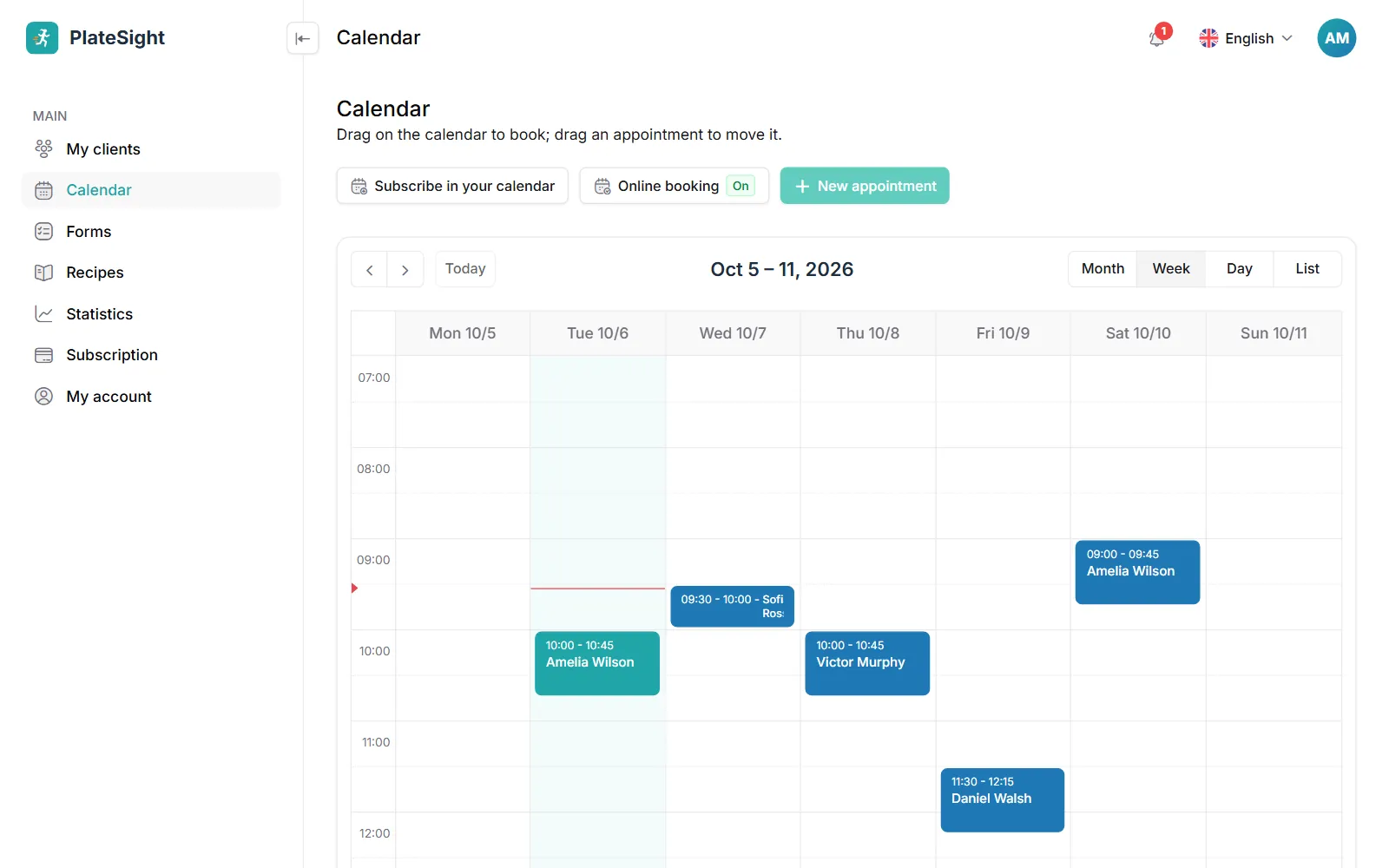
You book appointments by dragging on the calendar and move them with drag and drop; recurring appointments are entered in one go. When you share your online booking page, clients and new enquiries pick a suitable time and send a request, which you approve with one click. If you do not add a link to an online appointment, a video call link is created automatically. Before the appointment, your client receives a reminder by e-mail and app notification. Your client sees their appointments in the app and replies “I'll be there” or “I can't make it”; the reply shows as a mark on your calendar. When an appointment is moved or cancelled, a notification reaches the client's phone. From an appointment on the calendar you can go straight to the client file and record the session note that same day. You manage the clients you see online and those you meet in person on the same calendar.
- Drag-and-drop calendar and recurring appointments
- Online booking page with approved requests
- Automatic video call link
- Your appointments in Google, Apple or Outlook Calendar
Messages, forms and reports
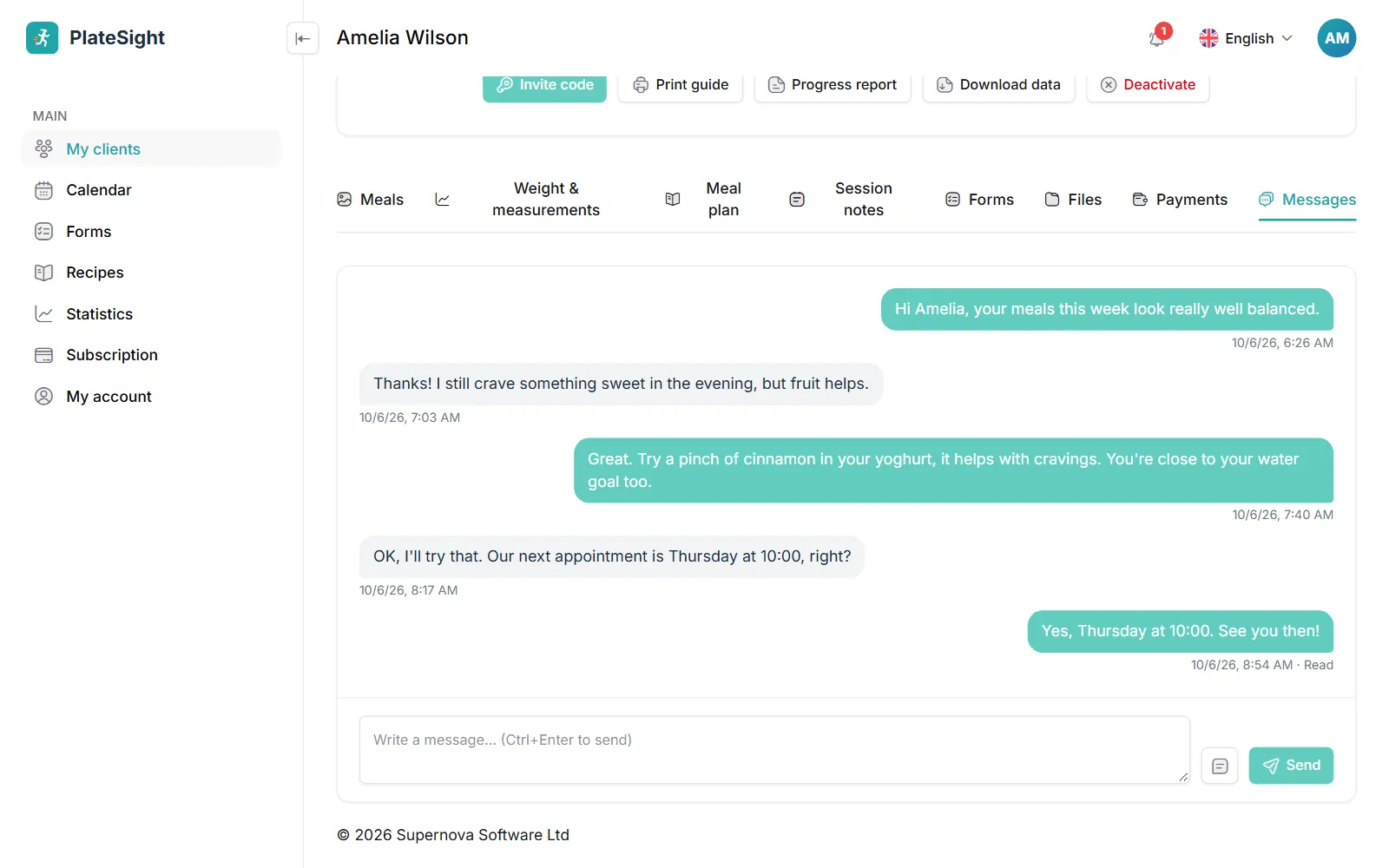
You message your clients inside PlateSight without sharing your personal phone number; you see when a message has been read and keep the answers you write often as saved replies. You send ready-made forms such as an intake form, a weekly check-in and a 24-hour food recall in one click, build your own forms and collect digital consent with a consent question. You can print a one-page progress report for each client, and download client records as a ZIP file and your client list as CSV. The panel and the client app work in 33 languages from across Europe. Answers to the forms you send are stored in the client file; on forms with a consent question, the name the client typed and the time of consent are recorded. You can send an announcement to all clients with a given tag in one go. The progress report brings the weight chart, body measurements, lab results and habit goals together on a single page; it is handy for showing to the client during a session or keeping as a PDF. Unread messages stay flagged on your client list.
- Messaging with read receipts and saved replies
- Ready-made forms, your own forms and digital consent
- One-page progress report
- Your data is yours: download as ZIP and CSV
Pricing
Free plan
3 clients, all features
Coming soonStandard plan
Up to 10 active clients
Coming soonPro plan
Up to 50 active clients
Coming soon


Frequently asked questions
Is the dietitian software free?
You can use it free for up to 3 clients, with no time limit. Paid plans for more clients are in the pricing section below. A subscription paid by card renews until you cancel it, and you can cancel at any time. On the free plan every part of the panel is available too; only the number of clients and some daily limits are lower.
How do my clients use it?
When you add a client to the panel, they are given an 8-digit invitation code. Your client installs the PlateSight app on their phone and enters the code; the app works on iPhone and Android. Details are on the dietitian app page.
Do I need to install anything?
No. The dietitian panel opens in your browser and works on a computer, tablet or phone. You can create an account and start right away. There is a separate phone app for your clients; you do not need to download anything for the panel itself.
Can I import my existing client list?
Yes. Upload your Excel or CSV list and match the columns; your clients are added in one go.
Can I export my data?
Yes. You can download each client's records as a ZIP file and your client list as CSV.
Which languages is it available in?
The panel and the client app work in 33 languages from across Europe, including English, German and French. Your client uses the app in their own language, and food names come in their language too.
Related pages and guide articles
With your permission, we use Google Analytics cookies to collect visit statistics that help us improve our website. We do not use advertising cookies. Cookie policy