

































Nutrition practice management software: client files, session notes and payments
If you are looking for nutrition practice management software that frees your practice from paper files and scattered spreadsheets, PlateSight brings client files, session notes, lab results and measurements, payments and statistics together in one panel. The panel opens in your browser; no installation, server or licence file is needed. Below you will find how the client list, session notes, measurement and lab tracking and payment records work in the panel. Your clients connect to you through the app on their own phones. Because the panel works in 33 languages from across Europe, you work the same way with clients who speak different languages.
All your clients in one list
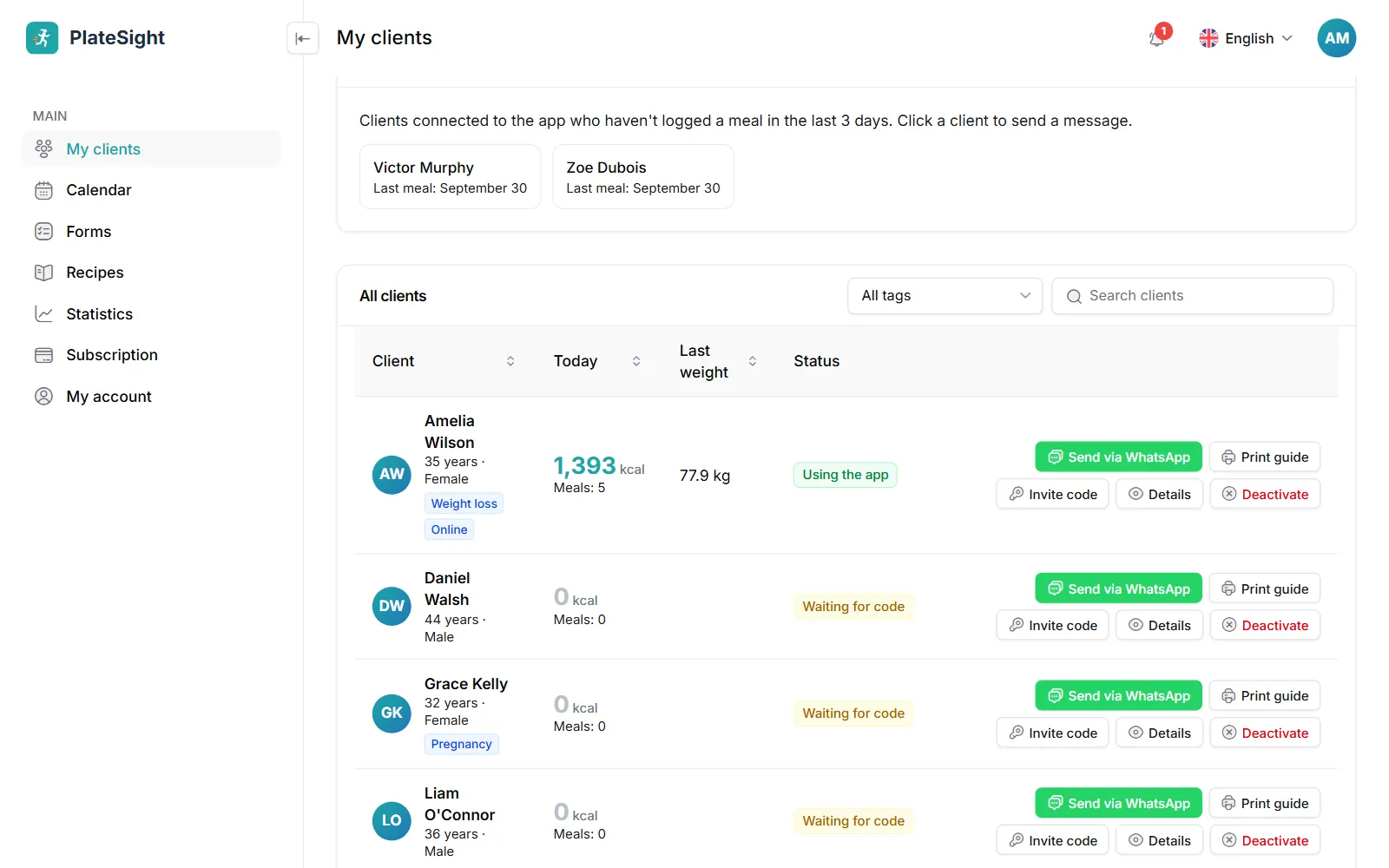
In PlateSight's nutrition practice management software, the My clients page shows each client's meals today, their calories and unread messages at a glance. You can tag clients and send a message to everyone with a tag, or to all of them, in one go. When you upload your existing list as an Excel or CSV file and match the columns, your clients are added in one go; you do not have to re-enter records you have kept for years. When adding a client, you enter basic details such as name, date of birth, sex and starting weight; the client connects to the app with the invitation code they are given. When you finish working with a client, you set them to inactive; their records are not deleted, and you can reactivate them when needed. In the client details, clinical history, meal plans, forms, shared files and session notes are kept tidy in tabs; you can send PDF, JPG or PNG files to your client's app. You can download the client list as CSV, and on a phone the same information appears in a card view.
- Today's overview, search and card view on phones
- Tags and group messages by tag
- Client import from Excel or CSV
- Clients who need follow-up on a separate card
ADIME, SOAP, DAP and BIRP session notes
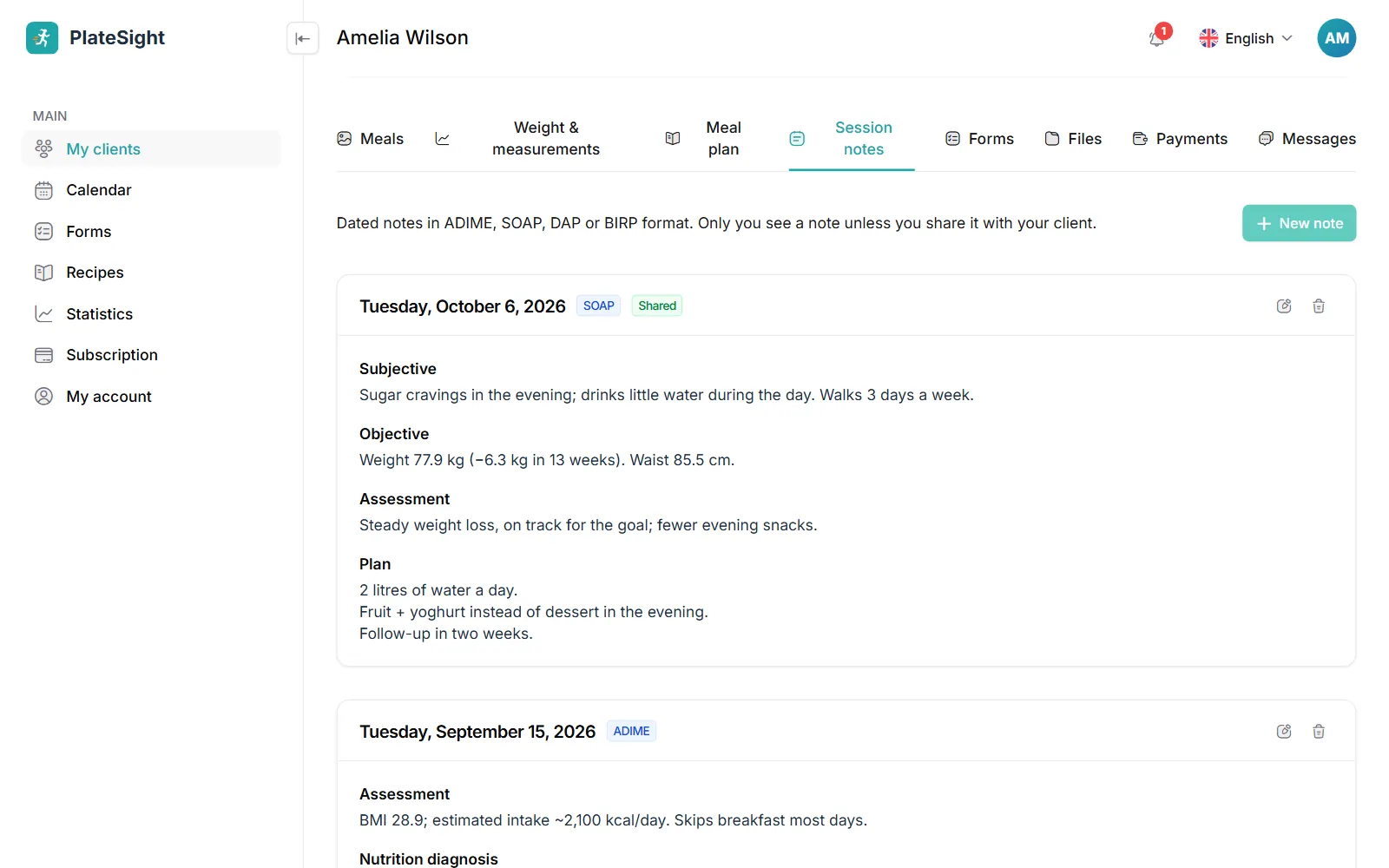
You record each session in the client's file as a dated, structured note in the format you use. When you type or dictate a free-form summary of the session, AI splits the text into the sections of the format you chose; you review it and save. Notes are private to you; if you wish, you share one with your client in one click, and a shared note appears in the client's app. Every note is tied to a date and listed newest first in the client file. You can go straight from an appointment on the calendar to the session note. Shared notes appear in the client's app under “Notes from your dietitian”; notes you do not share stay with you only. For an AI draft, it is enough to type a few sentences of summary after the session or say them with your phone's dictation feature; the draft does not enter the file until you have reviewed and saved it. So when you go back to a session from months ago, you find what you discussed and what you decided that day in the same structure.
- Four formats: ADIME, SOAP, DAP and BIRP
- AI-drafted session notes
- Notes private to you; sharing is optional
- Clinical history and dated records
Measurements, lab results and goals
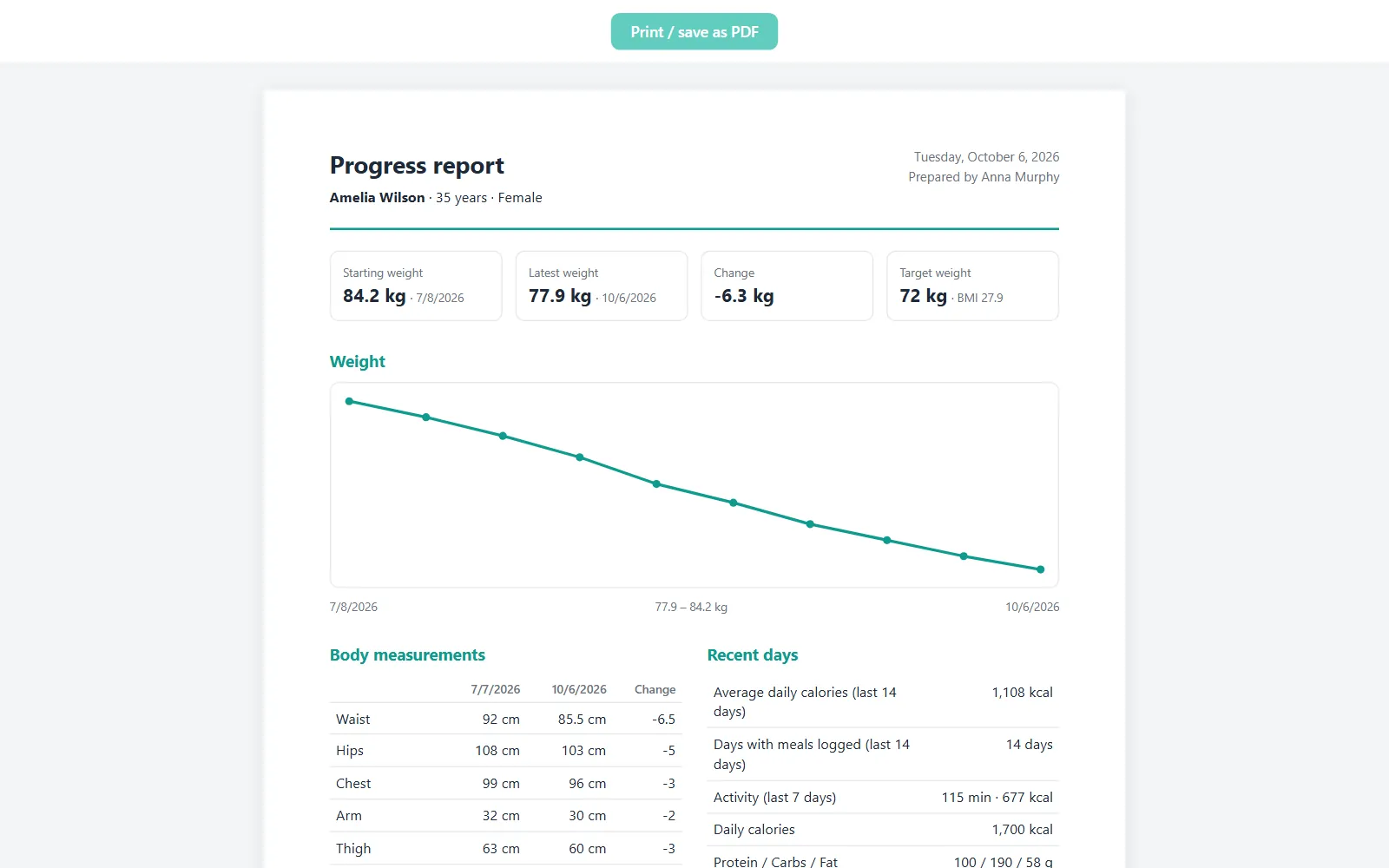
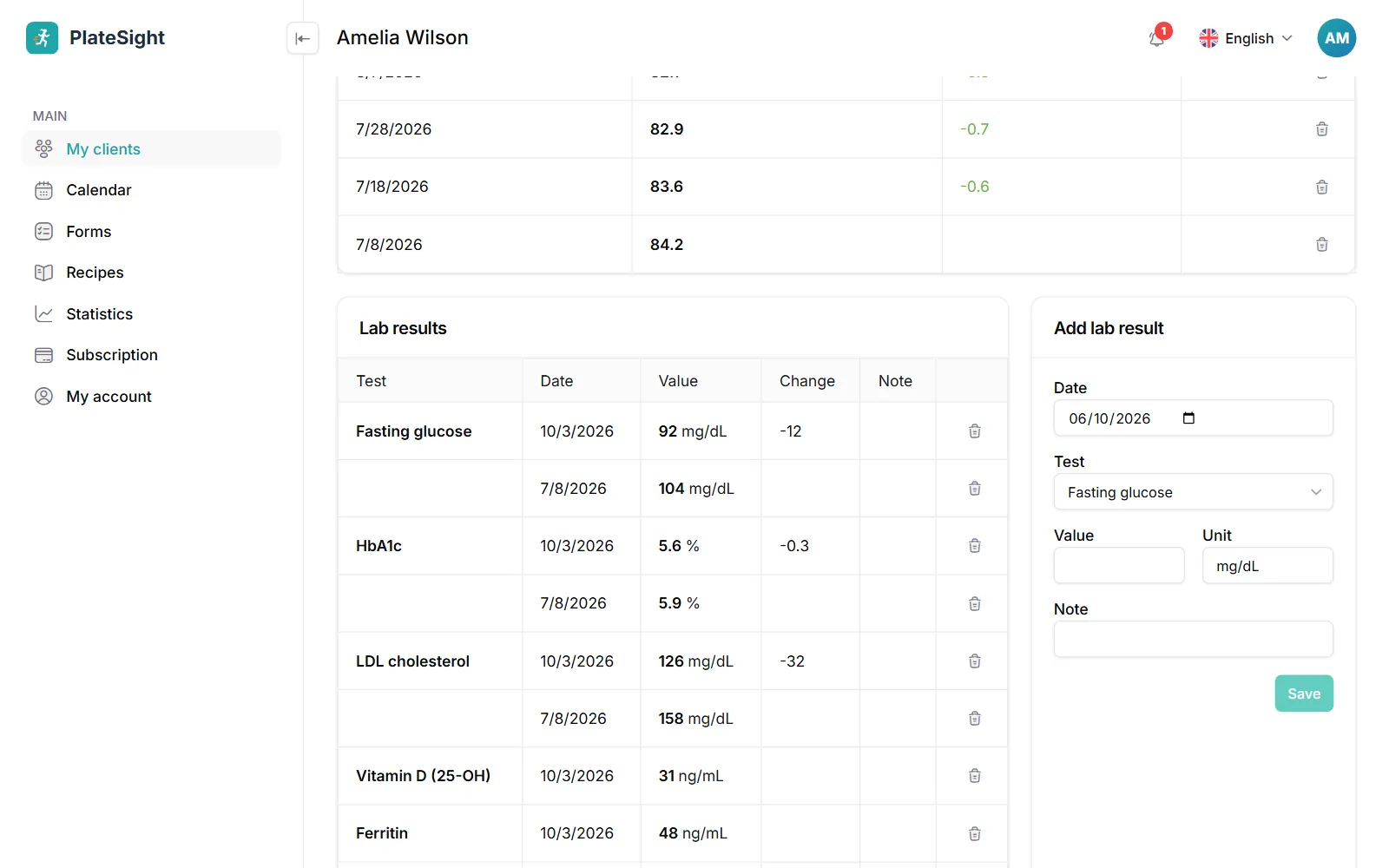
You track weight, waist, hips and body fat percentage with the change since the first measurement; muscle mass, visceral fat and body water are recorded too, and waist-to-hip and waist-to-height ratios are calculated from the measurements and shown with WHO risk labels. You enter common blood tests with their dates and follow how they change. You set daily calorie, macro and water goals and a target weight, and work out the client's needs with the energy calculator. Measurements are saved separately for each day; fields you leave empty on a given day do not erase earlier values. When entering lab results, you pick common tests from a list and record the value with its unit; the change over time appears in a table. For clients who should not see numbers, for example those at risk of an eating disorder, you can hide calories and macros in the app.
- Body measurements and body composition
- Lab results and how they change
- Calorie, macro, water and weight goals
- Print a one-page progress report
Payments, receipts and statistics
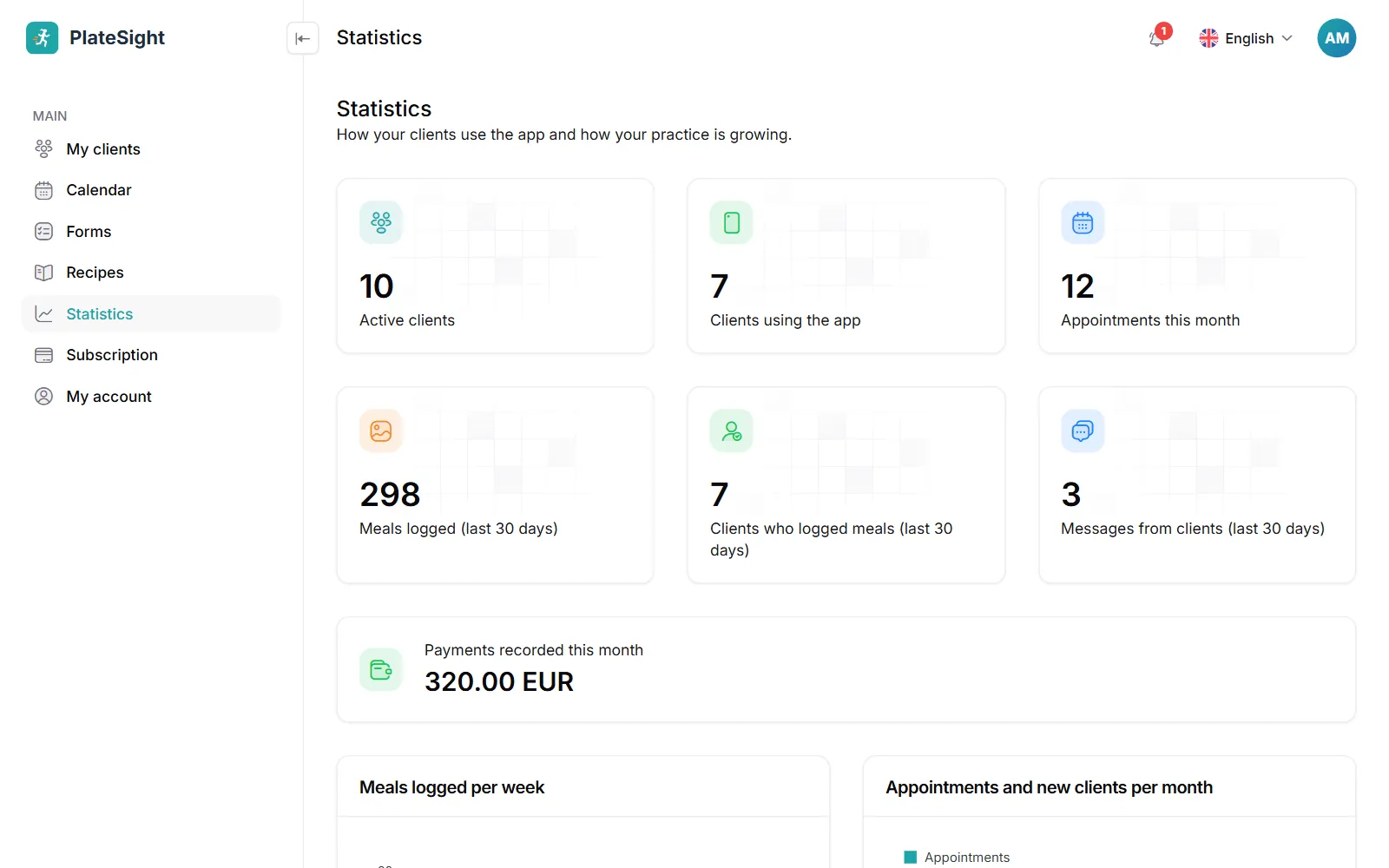
You record the payments you receive from clients and print receipts. The Statistics page shows meal logging over recent weeks and appointments and new clients by month in charts, along with the clients who need follow-up. For appointments, see our dietitian scheduling software page. In a payment record you enter the date, amount, currency and payment method; the payment history builds up in the client file. Because you can download all client records as a ZIP file, your data is not locked into one program. Every morning a summary e-mail arrives in your inbox, showing how many of your clients logged meals the day before, the number of meals for each client and their calories against the goal; you can turn this e-mail off on the My account page.
- Client payments and printed receipts
- Monthly appointment and new client statistics
- A daily summary e-mail every morning
- Download client records as ZIP and the list as CSV
Pricing
Free plan
3 clients, all features
Coming soonStandard plan
Up to 10 active clients
Coming soonPro plan
Up to 50 active clients
Coming soon


Frequently asked questions
Several dietitians work in my clinic. Can we open a shared account?
At the moment each account is for one dietitian; each dietitian opens their own account and manages their own clients. For more clients or needs specific to your clinic, you can write to us.
Which formats can session notes be written in?
ADIME, SOAP, DAP and BIRP are supported. You can write the note section by section yourself or have AI prepare a draft from your session summary. Notes are dated, and only you can see them unless you share them.
Can I import my existing client records?
You can import your client list in one go by uploading it as an Excel or CSV file and matching the columns. A preview is shown during the import, and the same client is prevented from being added twice.
Can I give a client a receipt?
Yes, you can print a receipt for a payment you have recorded. The receipt is for your own records; it does not replace a tax invoice.
Can I also offer online consultations alongside the clinic?
Yes. With the online booking page, the automatic video call link and the app on your client's phone, you manage in-person and online clients from the same panel. Details are in our article on working as an online dietitian.
Does the nutrition practice management software need installation or maintenance?
No. The panel opens in your browser and updates arrive automatically; you do not need to install a program on your computer. When new features are added to the panel, you do not have to do anything.
Related pages and guide articles
With your permission, we use Google Analytics cookies to collect visit statistics that help us improve our website. We do not use advertising cookies. Cookie policy